
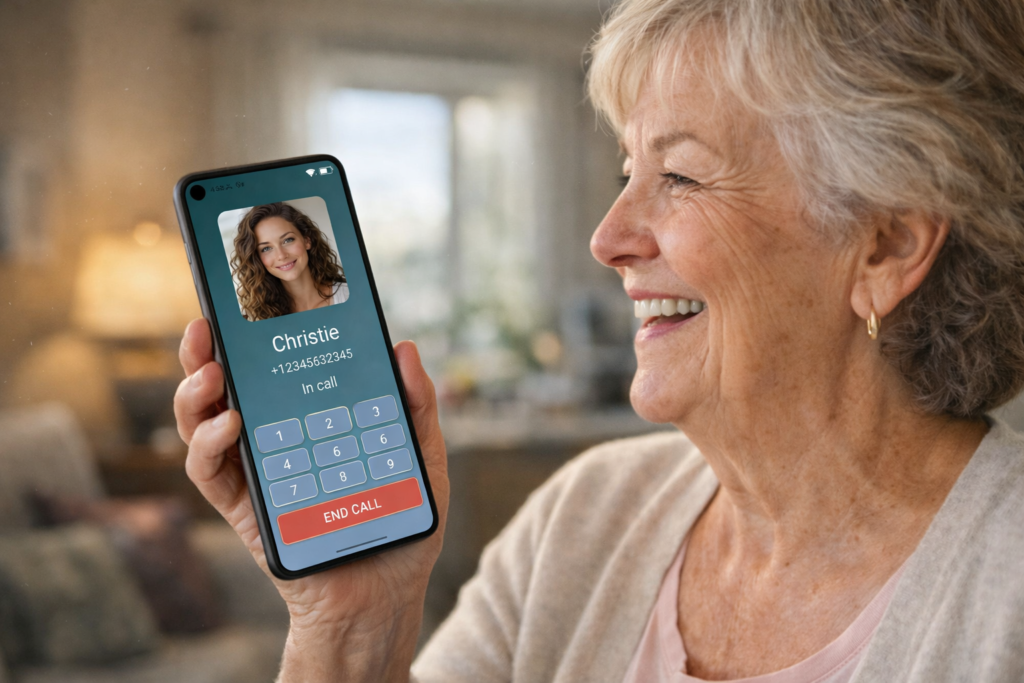
Elder Dialler – dialling made easy for Seniors
Elder Dialler replaces complicated phone apps with large buttons, clear text, and simple actions — designed specifically for older users.
No confusion. Just easy click and call.
Built for clarity • Helpful for families • Designed for independence
Who Elder Dialler is for
Elder Dialler is built for people who want a simpler, more confident phone experience — and for families who want peace of mind.
Seniors
For anyone who finds standard phone apps too small, too busy, or too confusing.
Families
Less time troubleshooting. More confidence that calling is always easy.
Caregivers
Predictable screens and simple controls — ideal for supported living.
Features
Simple call controls
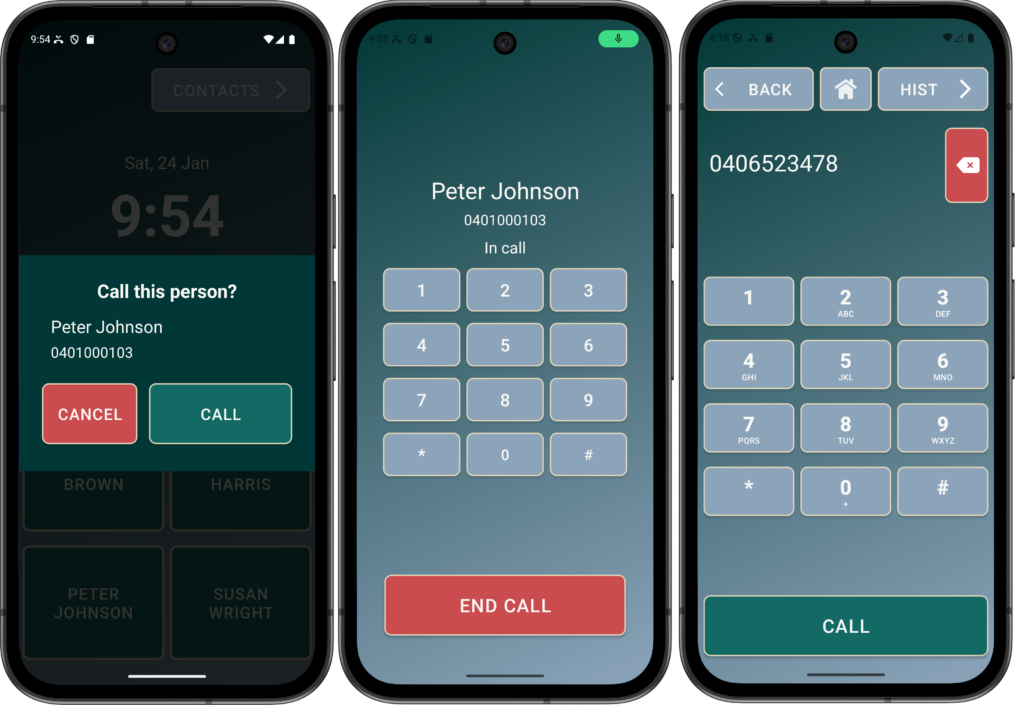
Speed Dials can have call confirmation prompts and a DTMF keypad can be enabled for easy reach.
A standard Dial Pad can also be enabled for those who can remember numbers.
Everything you need — nothing you don’t.
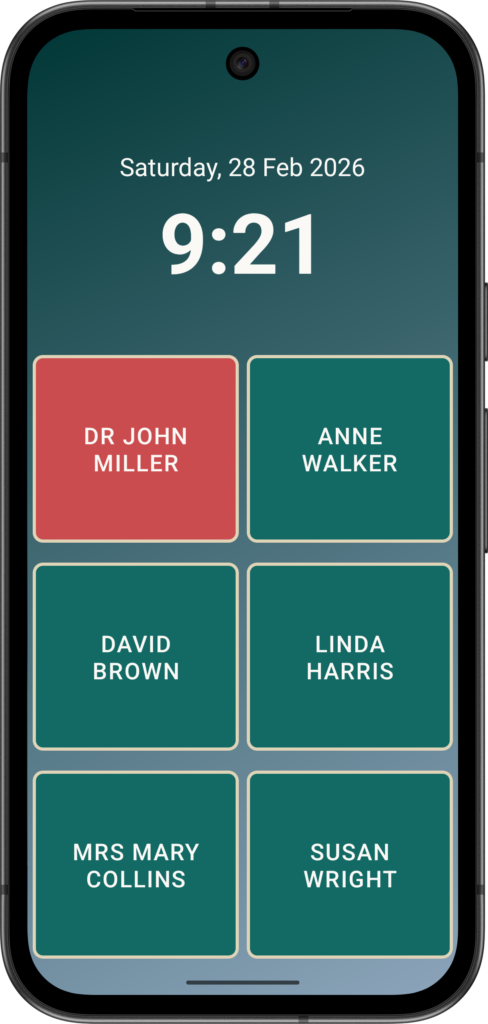
Screen Lock
Option to make modern, complex phones a simple Speed Dial device and nothing else.
Calling made easy.
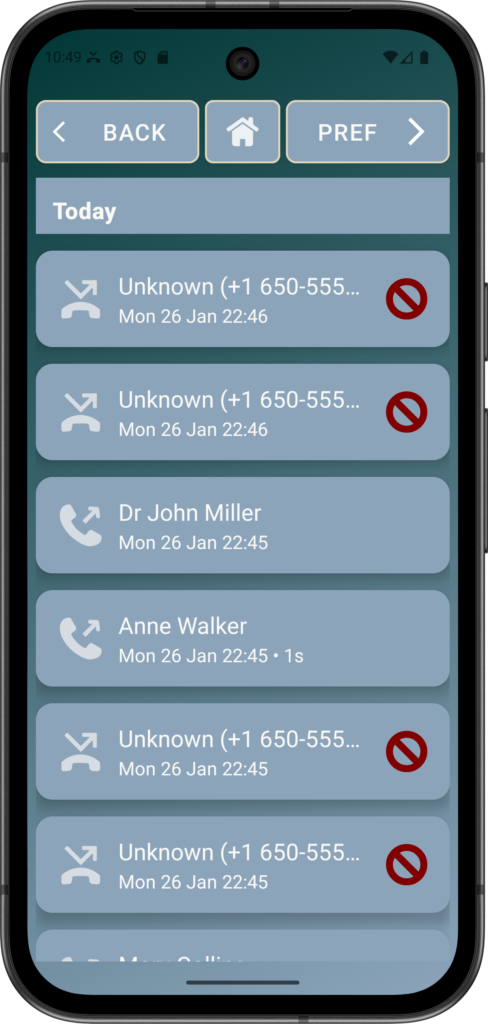
Call history with Blocking
Protecting users from nuisance, scam, and spam calls by ensuring only trusted contacts can contact the vulnerable.
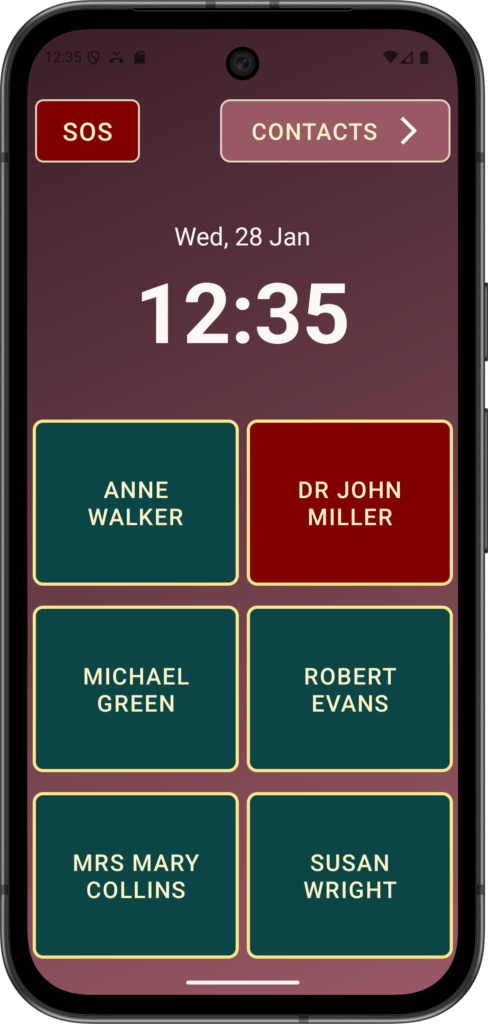
Big, easy-to-press buttons
Oversized buttons and generous spacing reduce mistakes and frustration. Designed for users with reduced vision or dexterity, every tap feels deliberate and reliable.
Adjustable text size makes reading easier without glasses.
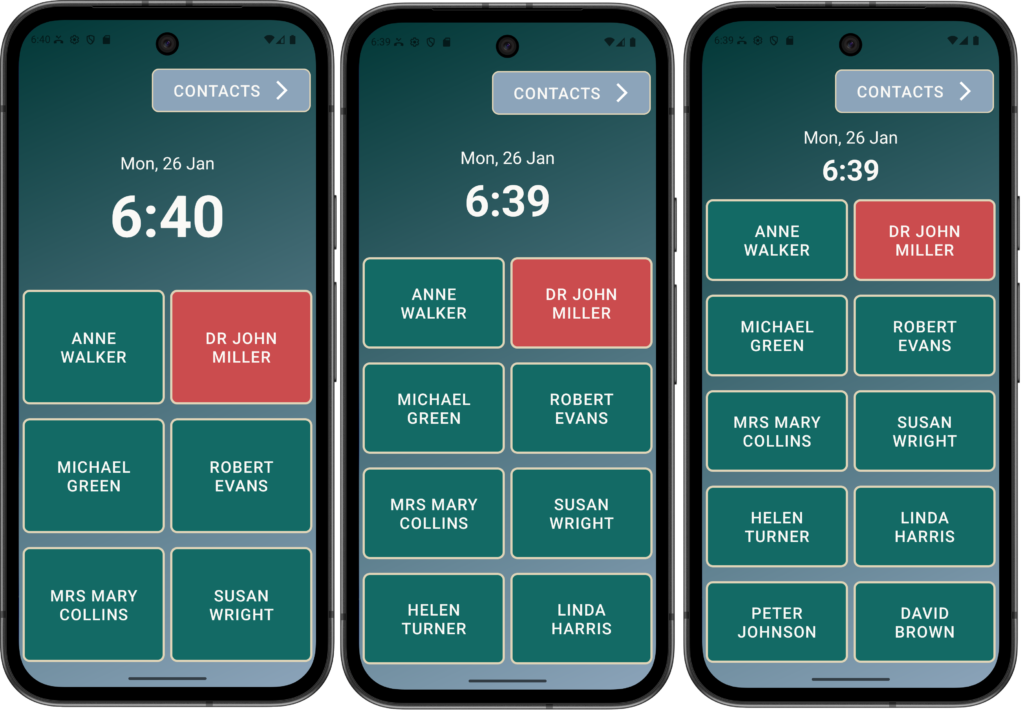
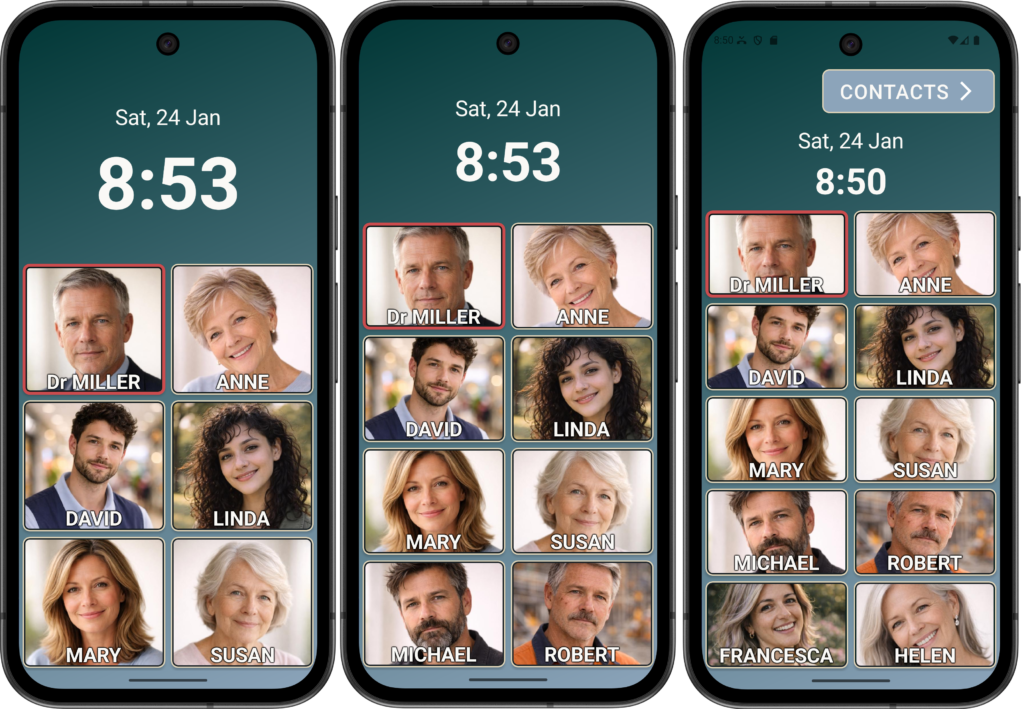
Option for 6, 8 or 10 contacts and RED buttons for Emergency Contacts.
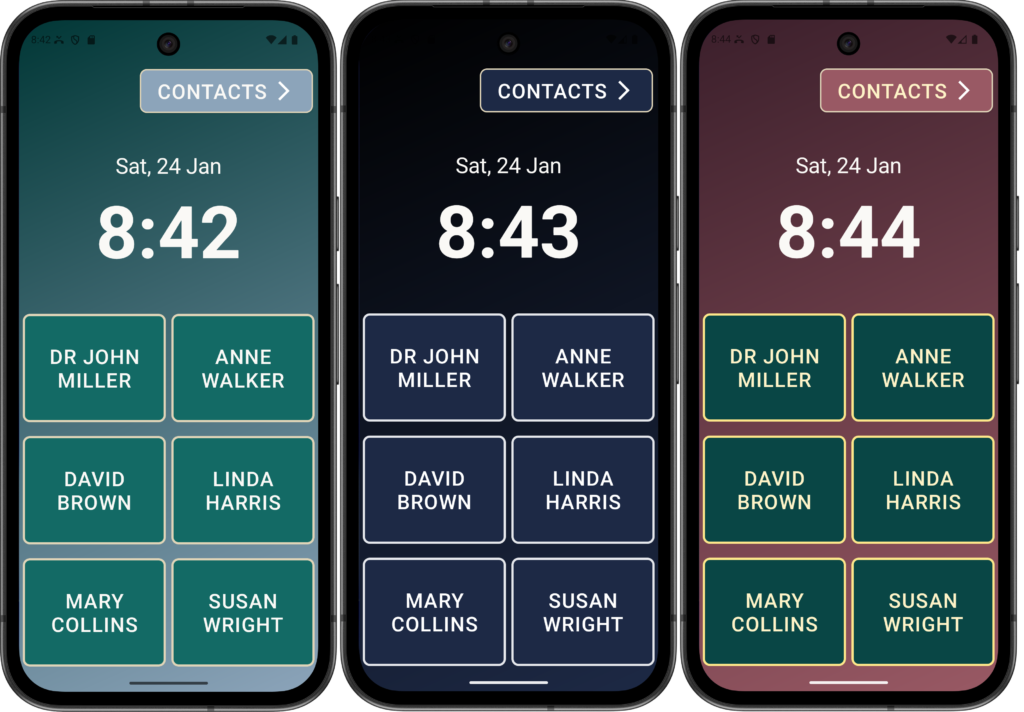
Multiple themes with High-contrast support
Choose from multiple themes designed for visibility and viewing comfort — bright sunlight or low light.
Elder Dialler stays easy to read.
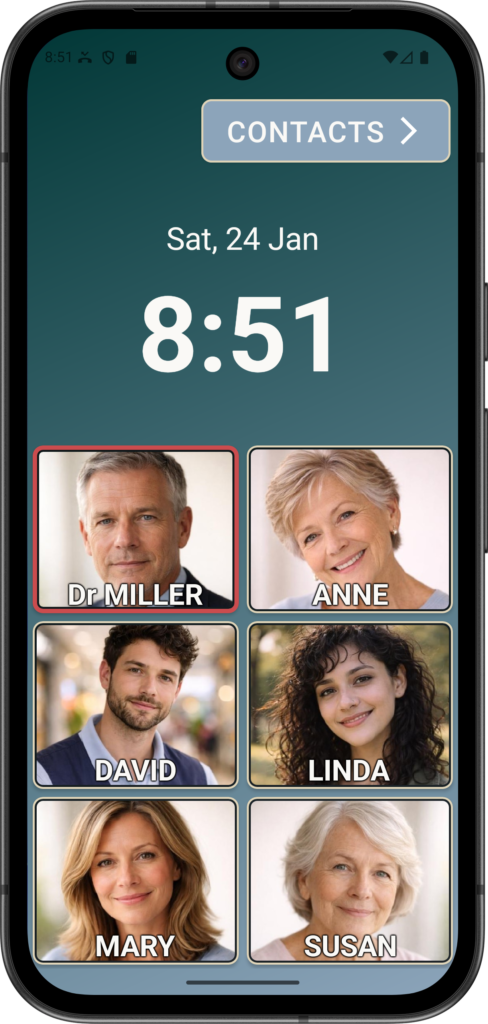
Speed Dial with photos
Call loved ones or those you need urgently with a single tap.
Photos make it easy to recognise key contacts — no searching or scrolling required.
Choose from 6, 8 or 10 contacts with the screen lock option to hide any other controls.
Note: Images are part of Advanced mode of operation (not in free version)
Multi-language support
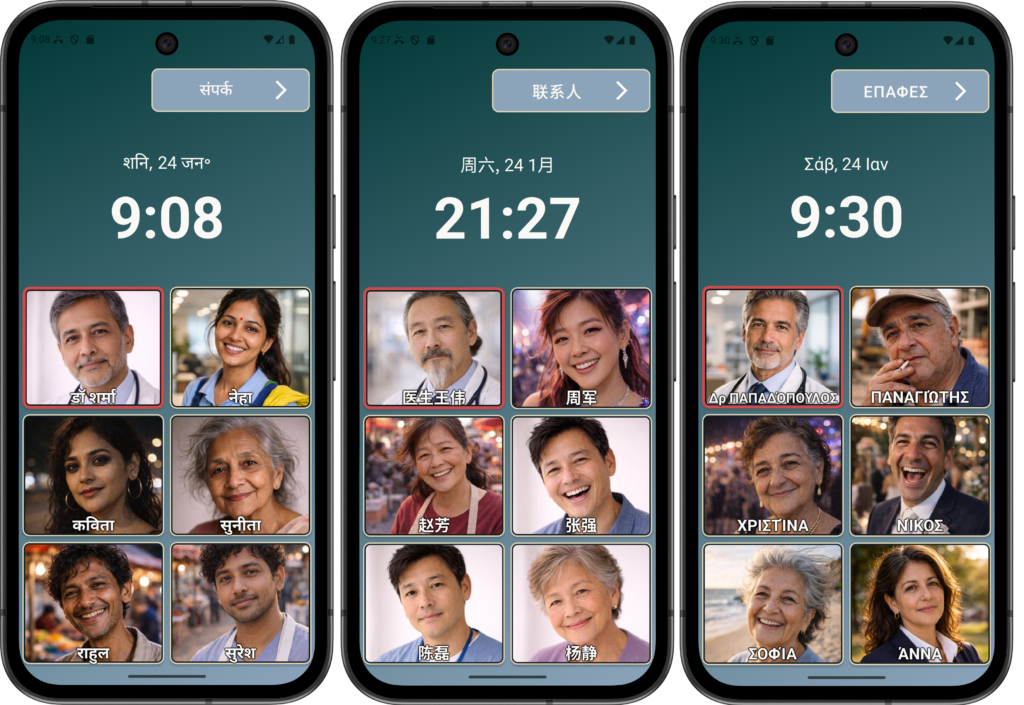
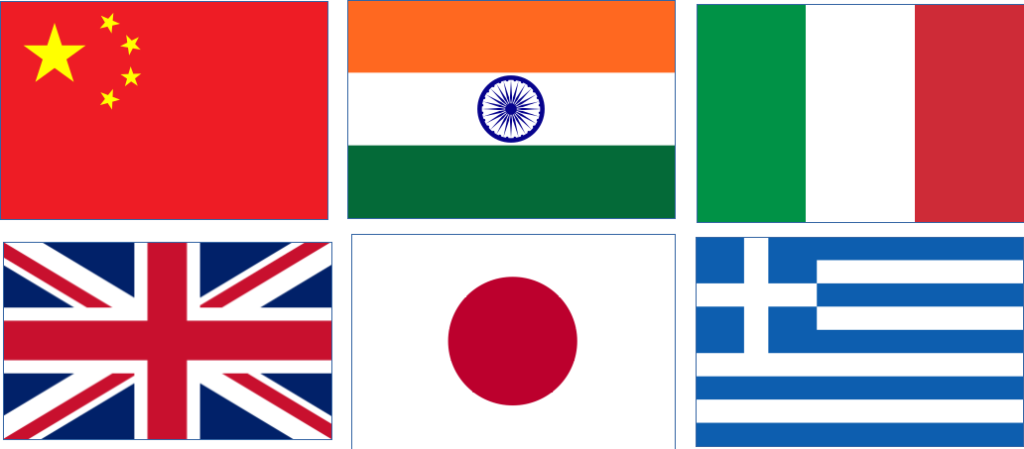
Use Elder Dialler in your preferred language — ideal for culturally diverse families and users who feel more comfortable in their native language.
Note: Language support is part of Advanced mode of operation (not in free version)
Why choose Elder Dialler?
Designed specifically for seniors — with the clarity families and caregivers want.
Simplicity
Predictable screens and large text reduce confusion and make the app easy to learn.
Confidence
Big buttons and clear actions help users feel confident using their phone again.
Peace of mind
Safety options like call blocking and Advanced screen lock help reduce risk and mistakes.
Simple pricing
Elder Dialler is FREE to use, with optional Advanced features available through a one-time purchase from the App Store.
- No subscriptions
- No advertisements
- No ongoing fees
Elder Dialler – Calling made easy.

FAQ
Is Elder Dialler designed for seniors?
Yes. Elder Dialler is specifically designed for seniors, with a simple, uncluttered interface, large buttons, clear text, and essential calling features that reduce confusion and make everyday communication easy and reassuring.
Can families help set it up?
Absolutely. Elder Dialler is designed so family members or carers can easily set up contacts, preferences, and safety features on behalf of the senior, ensuring the phone is ready to use with minimal ongoing assistance.
Does it support multiple languages?
Yes, definitely. Elder Dialler supports multiple languages, allowing users to interact with the app in their preferred language, which improves comfort, understanding, and accessibility for Seniors from diverse backgrounds. Contact us if you would like more languages supported.
Does it work on Apple devices?
Not yet, but we can look into it if there is sufficient interest. In iOS 18.2 and later, Apple officially allows users to change their default calling and dialler apps, but while you can design your own dial-pad, Apple still manages the in-call screen (the screen you see while talking).
Make mobile calling easy.
Download Elder Dialler today and enjoy a phone experience designed with clarity, care, and confidence.
Elder Apps
Elder Dialler is developed by Elder Apps — focused on simple, accessible technology for seniors and their families.
DISCLAIMER:
All names, contact details, and images displayed on this website and shown within the Elder Dialler application are entirely fictitious and are used for demonstration and illustrative purposes only. Any resemblance to real persons, living or deceased, is purely coincidental. No content is intended to represent, simulate, or replicate any actual individual.